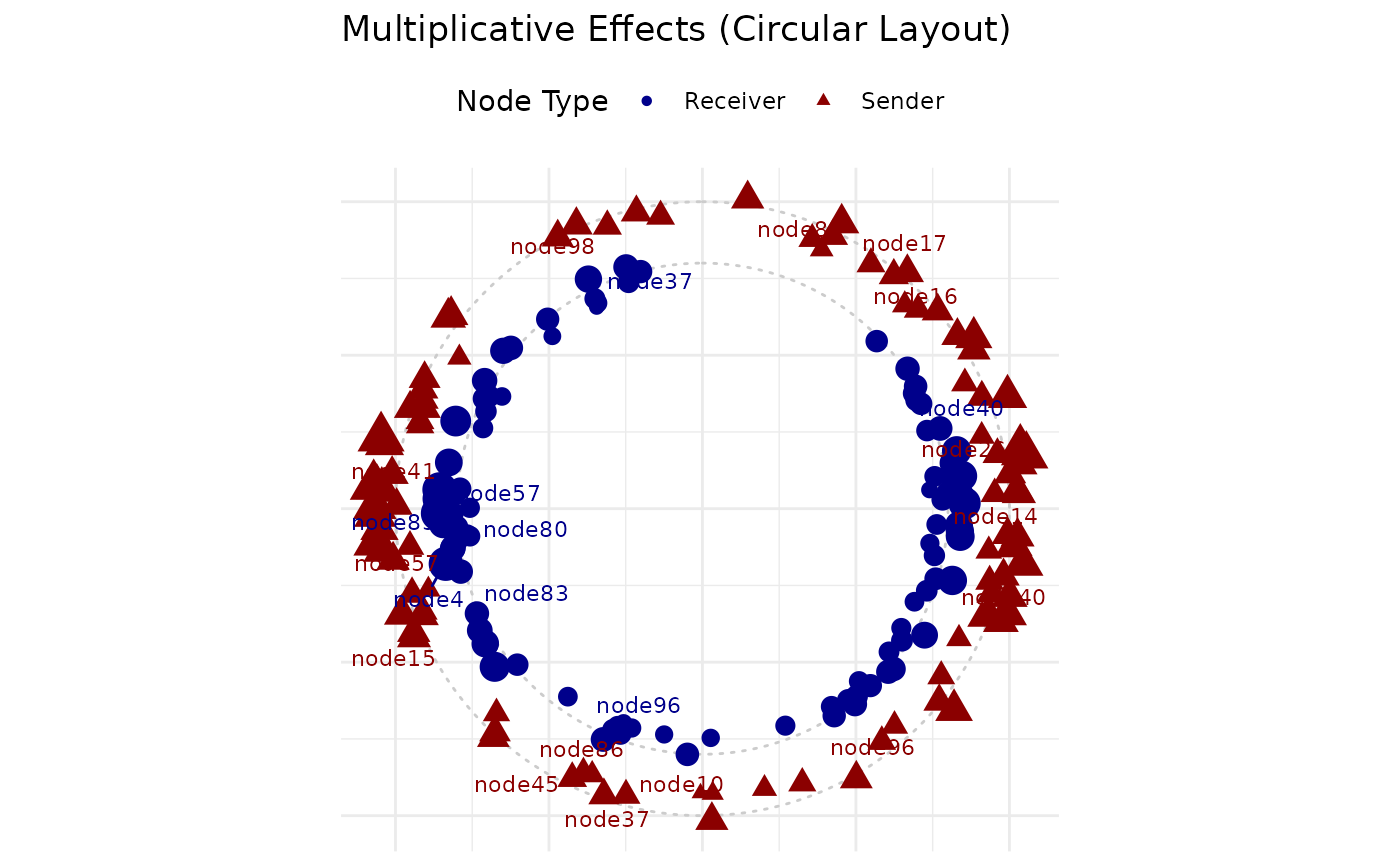
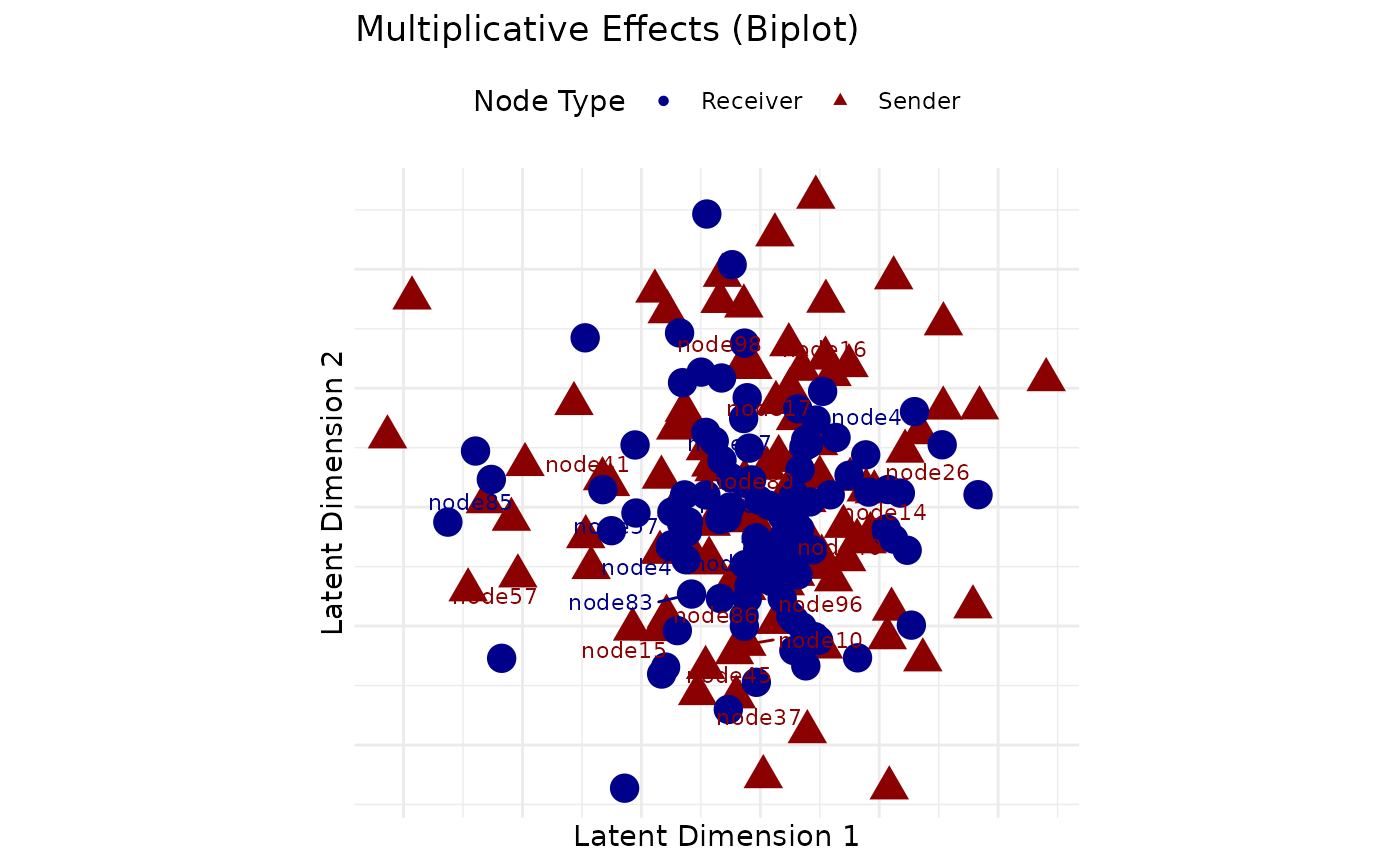
Creates a two-dimensional visualization of the multiplicative effects (U and V) from an AME or LAME model. These latent factors capture network structure beyond what is explained by covariates and additive effects, including clustering, transitivity, and other higher-order dependencies.
Usage
uv_plot(
  fit = NULL,
  Y = NULL,
  U = NULL,
  V = NULL,
  row.names = NULL,
  col.names = NULL,
  layout = c("circle", "biplot"),
  vscale = 0.8,
  show.edges = FALSE,
  edge.alpha = 0.3,
  node.size = "magnitude",
  label.nodes = TRUE,
  label.size = 3,
  show.usernames = NULL,
  sender.color = "darkred",
  receiver.color = "darkblue",
  colors = NULL,
  title = NULL,
  time_point = NULL,
  plot_type = c("snapshot", "trajectory", "faceted"),
  show_arrows = TRUE,
  highlight = NULL
)
Arguments
- fit
An object of class "ame" or "lame" containing multiplicative effects, or a network matrix Y if U and V are provided separately
- Y
Network matrix (only needed if fit is not provided)
- U
Matrix of sender latent factors (extracted from fit if not provided)
- V
Matrix of receiver latent factors (extracted from fit if not provided)
- row.names
Names for row nodes (defaults to rownames of Y or U)
- col.names
Names for column nodes (defaults to colnames of Y or V)
- layout
Character string specifying layout: "circle" (default) or "biplot"
- vscale
Scaling factor for V positions relative to U (default 0.8)
- show.edges
Logical; if TRUE, show network edges (default FALSE)
- edge.alpha
Transparency for edges (default 0.3)
- node.size
Size of nodes, or "degree" to scale by degree (default 3)
- label.nodes
Logical; if TRUE, show node labels (default TRUE)
- label.size
Size of node labels (default 3)
- show.usernames
Integer: number of top-degree nodes to label, or NULL for default behavior
- sender.color
Color for sender/row nodes (default "darkred")
- receiver.color
Color for receiver/column nodes (default "darkblue")
- colors
Optional vector of colors for nodes (e.g., for communities)
- title
Optional title for the plot
- time_point
For dynamic UV, which time point to plot (default: last). Can be numeric index or "average" for time-averaged positions
- plot_type
For dynamic UV: "snapshot" (single time), "trajectory" (evolution), "faceted" (grid of time points). For static UV, this is ignored.
- show_arrows
For trajectory plots, whether to show directional arrows
- highlight
Optional character vector of actor names to highlight on a
plot_type = "trajectory"plot. Highlighted actors are coloured with the colour-blind-safe Okabe-Ito palette; all other actors are rendered in grey at lower alpha. Ignored for static or snapshot plots.
Details
The multiplicative effects in AME models provide a low-rank representation of network structure through latent factors:
- U matrix
Sender-specific latent positions (row factors)
- V matrix
Receiver-specific latent positions (column factors)
- UV' product
Captures dyad-specific effects beyond additive terms
The visualization can show:
- Circular layout
Default layout placing nodes on a circle with latent positions shown as deviations
- Biplot layout
Shows U and V positions directly in latent space
- Network overlay
Optional display of actual network ties
Interpretation (this is an eigenmodel, not a latent-distance model):
The latent contribution to a tie i -> j is the inner product u_i' v_j: sender and receiver vectors that align (small angle, large magnitude) raise the tie propensity, opposed vectors lower it. Euclidean distance between plotted points is not the operative quantity.
Actors with similar sender (or receiver) vectors have similar connection patterns; clustering of vectors indicates community structure.